2D interfaces
Libretto does not ship a document, a phone or a popup. It ships reading helpers that let any UI of yours walk a Dialogue, and nothing decides what that UI looks like. The recipes below are examples to draw from: each one is a common case, solved one way, with the example views of the showcase. Your game's interfaces will probably be none of them, or a mix of several: take the pattern that fits, and leave the rest.
What comes from the examples
The child flags (Interface2D.Document, .Messaging, .Voicemail, .Popup, .Lock), the
Interface2D typed actions, the views and the device all belong to the showcase. Only
Staging.Interface2D and the reading helpers are part of the product. Rename, replace or drop
the rest.
I want to show a dialogue in a UI instead of playing it
Tick Staging.Interface2D on the subdialogues, and read them from your widget with the reading
helpers (ULBRDialogueReadingLibrary). You keep everything Libretto gives a written dialogue
(authoring, conditions, GPVars, spell-check, localization, voices) and your UI decides how it looks.
The showcase ships a complete example: a 2D reader, five views and a device, on the "2D Interfaces"
station of the tutorial map.
- Tick
Libretto.Flags.Subdialogue.Staging.Interface2Don each subdialogue your UI reads, or one of your own child flags (Interface2D.Document,Interface2D.Messaging…). Generation then builds no sequence and no stage for it, and still generates its voices. - In your widget, pick the subdialogue with
FindFirstPlayableSubdialogue(or list them withGetPlayableSubdialogues), then walk it:GetSubdialogueEntry, thenGetNextStepafter each line,GetValidReplieson a choice,RecordReplyChosenandApplyLineEffectswhen the player answers. - Call
MarkSubdialogueDonewhen your UI considers the page read or the thread finished: nothing is marked done for you. - Or start from the example: an
ALBRI2DDevicewith a Dialogue and a View Class opens the view on the Interact key.
Gotcha
You do not generate sequences or call StartDialogueInstance for these subdialogues: a
Dialogue Instance never enters an Interface2D subdialogue, and a Sequencer jump to one ends the
played dialogue. Voices are the exception: generate the assets if the interface plays audio.
See also: Reading dialogues in 2D interfaces · The reading loop
I want a document or a letter with several pages
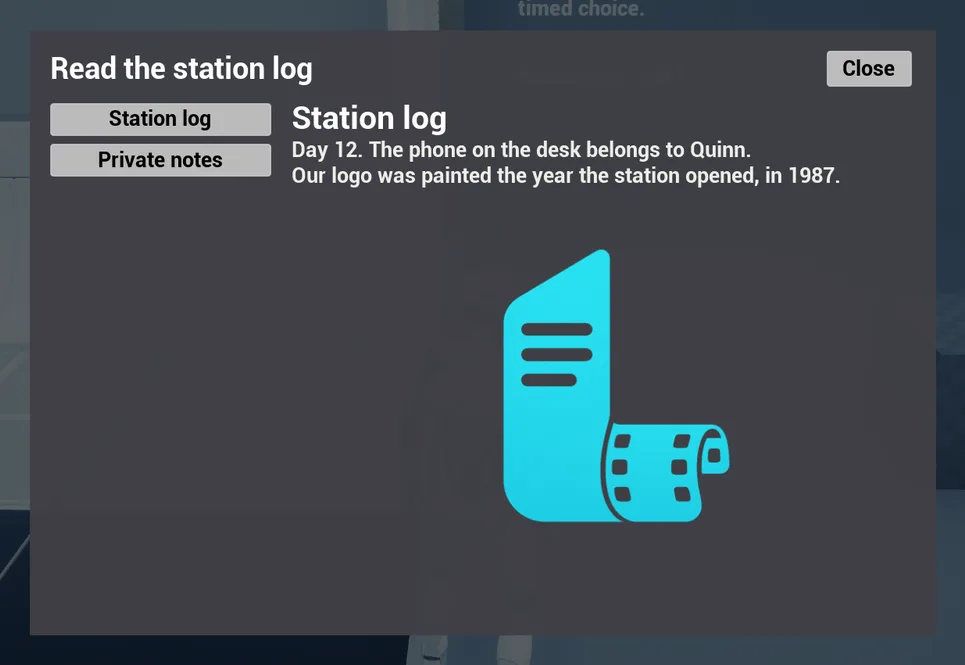
One way: one subdialogue per page, flagged Interface2D.Document, and a condition on a page to
hide it until the situation is met. The example document view lists the pages that pass their condition as a table
of contents, and displays a page at once.
- Create one subdialogue per page, flag it
Interface2D.Document, and give it a line flaggedInterface2D.Title: that line is the title in the table of contents. - Write the body as
Textlines. Use an If / Else inside a page for text that depends on the game state, and a condition on the subdialogue for a page that only appears later. - For an image, add an
Interface2D Imageaction to the line: the view displays it with the text. - Open it with a device whose View Class is
ULBRI2DDocumentView.D_I2D_Documentshows all of the above.
Gotcha
The table of contents is built from GetPlayableSubdialogues, so a page appears as soon as
its condition passes, even while the document is closed. If a page should appear only once the
player reopens the document, decide it in your view, not in the condition.
See also: 2D interfaces — the example views
I want a phone messaging thread that keeps its history
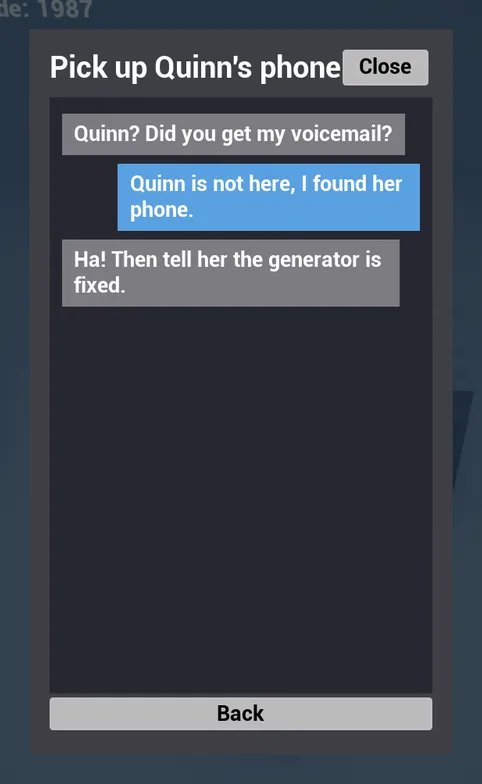
One way: one subdialogue per thread, flagged Interface2D.Messaging, and Reconstruct each time
the thread is opened. Libretto keeps no transcript: the replies taken are already in the GPVars, so the
thread is rebuilt from them and goes on live at the first unanswered choice.
- Write each thread as a subdialogue flagged
Interface2D.Messaging: the contact's lines, then a Choice whose replies are the player's messages. - To make a thread appear later, give its subdialogue a condition (in
D_I2D_Phone, the second thread waits for the voicemail to be heard). - When the view opens a thread, call
Reconstructinstead ofStart: the lines already read come back withbReplayset, no effect is applied a second time, and the reading continues where the player left it. - Pace the live lines in your view ("is typing…", a delay per character); the example messaging view does it with a queue of timers.
Gotcha: two rules for a thread that rebuilds
- Don't route a thread through the same choice twice. At the second pass, the reconstruction stops and the player answers again.
- Cache the conditions that decide what a thread already said (
bCacheSuccess/bCacheFailure). They are evaluated again during the reconstruction, and a result that has changed sends the rebuilt thread down another branch.
See also: Reconstruction · Conditions — caching
I want a voicemail: a transcription, and the real voice on demand
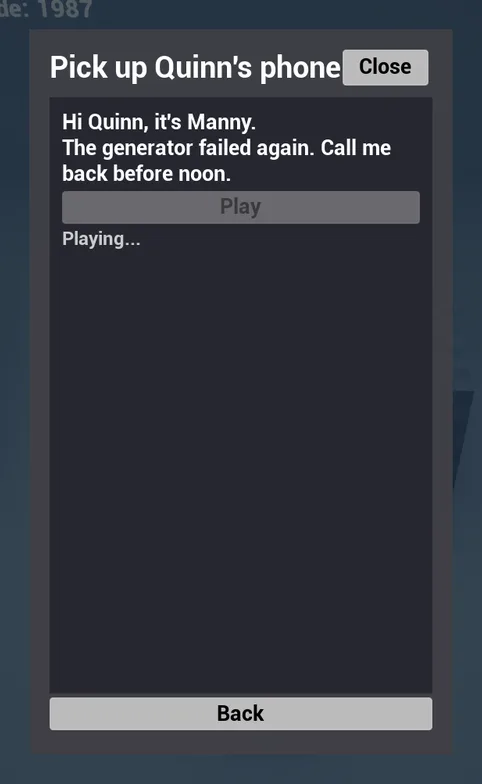
One way: the transcription in an Interface2D.Voicemail subdialogue, the voice in an Audio2D
subdialogue of the same Dialogue, and an Interface2D Play Audio Subdialogue action to link
them. The example view shows the text right away and plays the audio when the player presses Play.
- Write the message in a subdialogue flagged
Interface2D.Voicemail. - Write the same lines, spoken, in a second subdialogue flagged
Staging.Audio2D, and tickNoSubtitleon its lines so the transcription is not doubled by subtitles. - On the transcription, add an
Interface2D Play Audio Subdialogueaction naming theAudio2Dsubdialogue. - Generate the Dialogue's assets and sequences (the
Audio2Dsubdialogue needs its sequence). The view plays it withStartGenericDialogueand marks the voicemail done when the audio ends.
Gotcha
The audio subdialogue plays as a generic dialogue, which no map references: in a packaged game it is silent unless its folder is in Additional Asset Directories to Cook. The view logs a warning and ends the playback instead of crashing.
See also: I want to play a dialogue with no placed instance · Intangible characters
I want a popup with a timed choice, that remembers what the player did
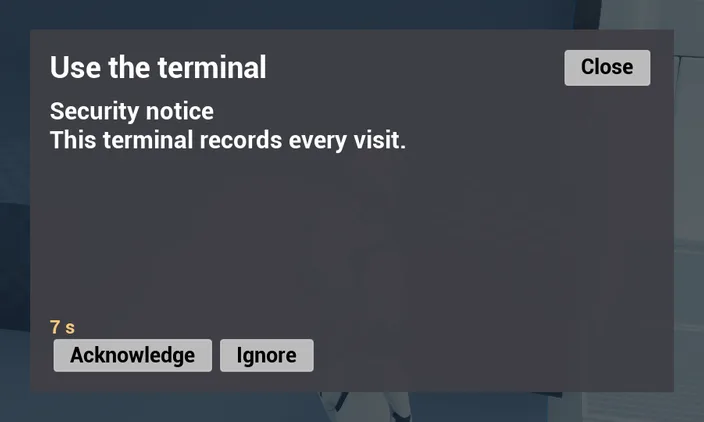
One way: a subdialogue flagged Interface2D.Popup with a timed Choice and a default reply, on the
condition "not done yet", followed by a "welcome back" subdialogue. The first playable subdialogue wins:
once the first visit is done, the popup falls through to the second one.
- Write the first visit in a subdialogue flagged
Interface2D.Popup, with a condition "this subdialogue is not done yet". - Give its Choice a time (
TimeChoice) and tickDefault Replyon the reply taken when the time runs out. Your view callsTimeOuton the reader when its countdown ends. - Add a second subdialogue, after it and without condition, for the later visits. Branch its text with an If on the reply taken before: a GPCounter condition on the reply's path, at least 1.
- The example popup view marks the subdialogues it has read done at the end of the reading.
D_I2D_Popupshows the whole pattern.
Gotcha
The default reply keeps bDoOnceReply ticked by default. For a popup that can come back
with the same choice, untick it, or the second timeout finds no reply to take.
See also: Typed input and the default reply
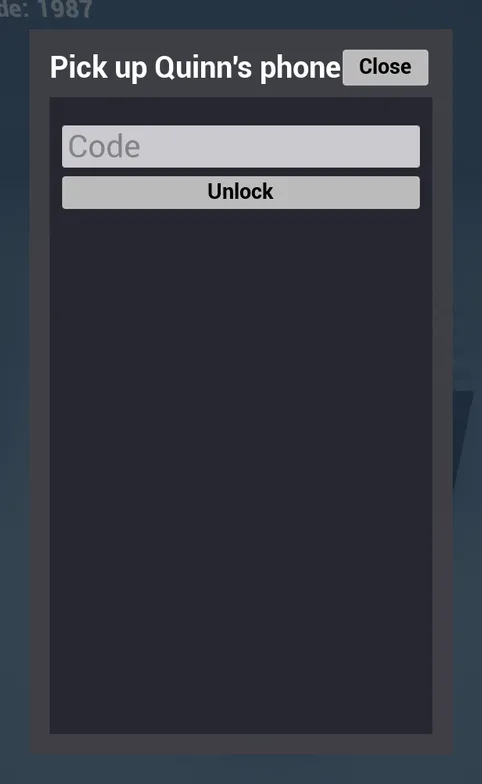
I want a lock screen, a password or a riddle
One way: a Choice whose replies are the accepted answers, plus a default reply for a wrong answer,
and a view that sends what the player typed to SubmitInput. Matching ignores case and surrounding spaces and
compares in the language being played.
- Create a subdialogue flagged
Interface2D.Lock, with the condition "this subdialogue is not done yet": once opened, the phone skips it. - Add a Choice. Each accepted answer is a Reply whose text is the answer (
1987). Add one more Reply, tickDefault Reply, and untick DoOnce on it: it is the wrong-answer branch. - In the wrong-answer branch, write the feedback and Goto the Choice to ask again. For a hint
after a few failures, wrap it in an If whose condition checks the reply's counter (at least 3
times in
D_I2D_Phone). - In your view, pass the typed text to
SubmitInput, or callFindReplyMatchingInputyourself. A correct answer marks the lock subdialogue done.
Gotcha
- Accents count:
caféis notcafe. Case and surrounding spaces do not. - A translated reply is a translated password: the player types it in the language being played.
- Left DoOnce, the default reply is only taken once: the second wrong code gets no answer.
See also: Typed input and the default reply · I want a skill check that spends a resource when it passes
I want an unread badge on a conversation
One way: a thread is unread while it is playable and not yet done. Mark it done when the player has read it to the end, and test both from the home screen. Libretto already stores what the badge needs: the "done" counter of each subdialogue.
- When a thread finishes (the reader sends
Finished), callMarkSubdialogueDoneon it. The example messaging view does exactly this. - On the home screen, list the threads with
GetPlayableSubdialogues(Dialogue,
   Interface2D.Messaging)
: a thread whose condition does not pass yet is not listed at all. - For each thread, read
GetGPCounter(Subdialogue ▸ GetSubdialogueDoneGPTagPath).0means the player has never read it to the end: show the badge. - For a thread that gets new messages after it was read (a Goto into a later part, a new branch
that opens), keep your own GPCounter of lines seen per thread: increase it in
ShowTextwhenbReplayis false, and show the badge when a new part of the thread becomes playable.
Gotcha
Don't count lines during a reconstruction: lines with bReplay set were already seen. And a
condition that makes a thread appear is evaluated when the home screen lists it, so cache it if
the thread should stay once it has appeared.
See also: GPVars · I want to test "has this dialogue already been played"